


问题标题
VChart是否支持将图元设置为选中状态?
问题描述
可以在spec中设置让某个点在不交互时始终处于选中状态吗?
解决方案
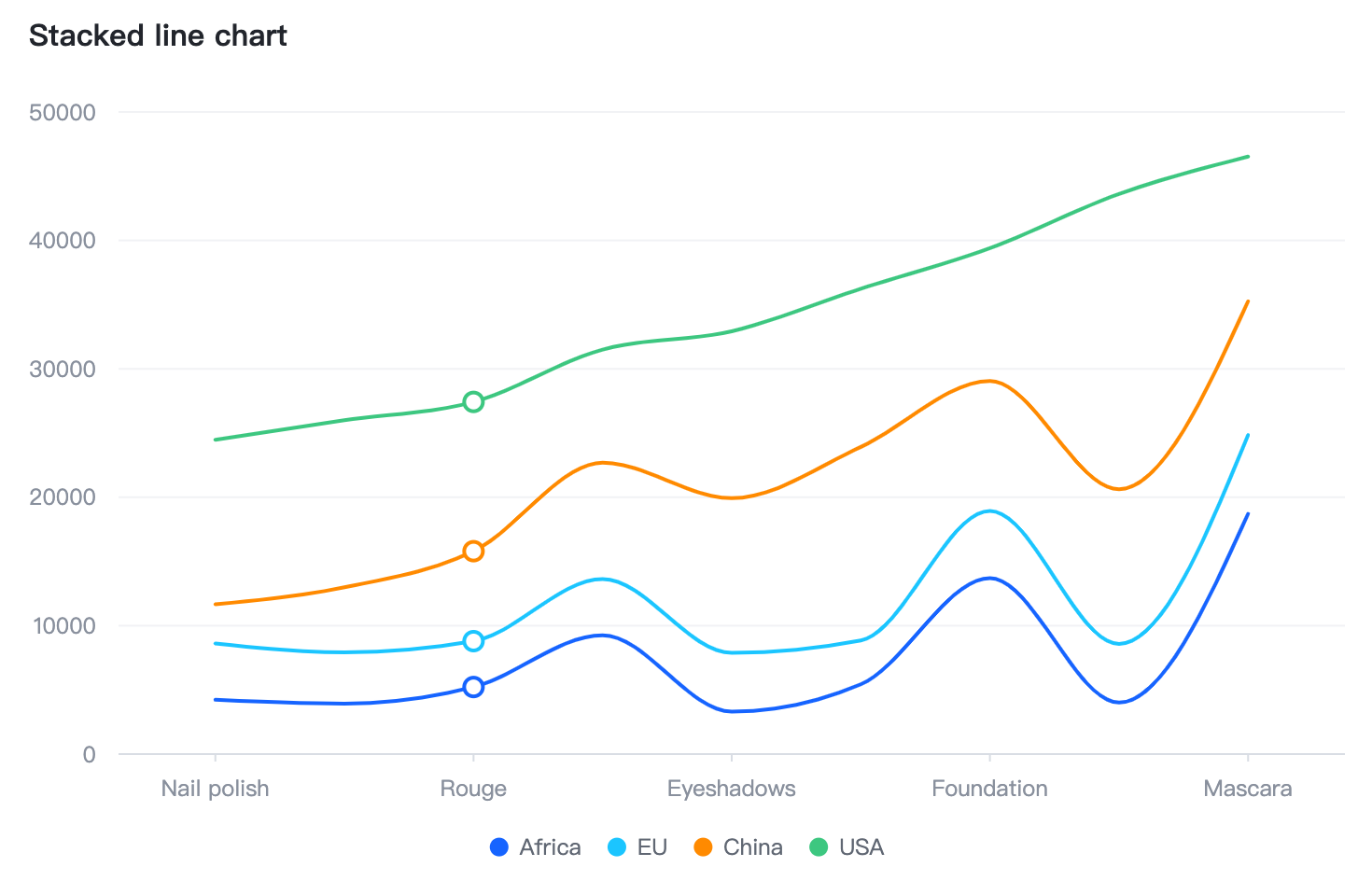
直接接通过 spec 设置,不走 state 接口的话可以直接通过通道的自定义函数来设置样式,参数中包含数据信息,根据不同的数据来区分图元是否需要设置为选中状态即可。
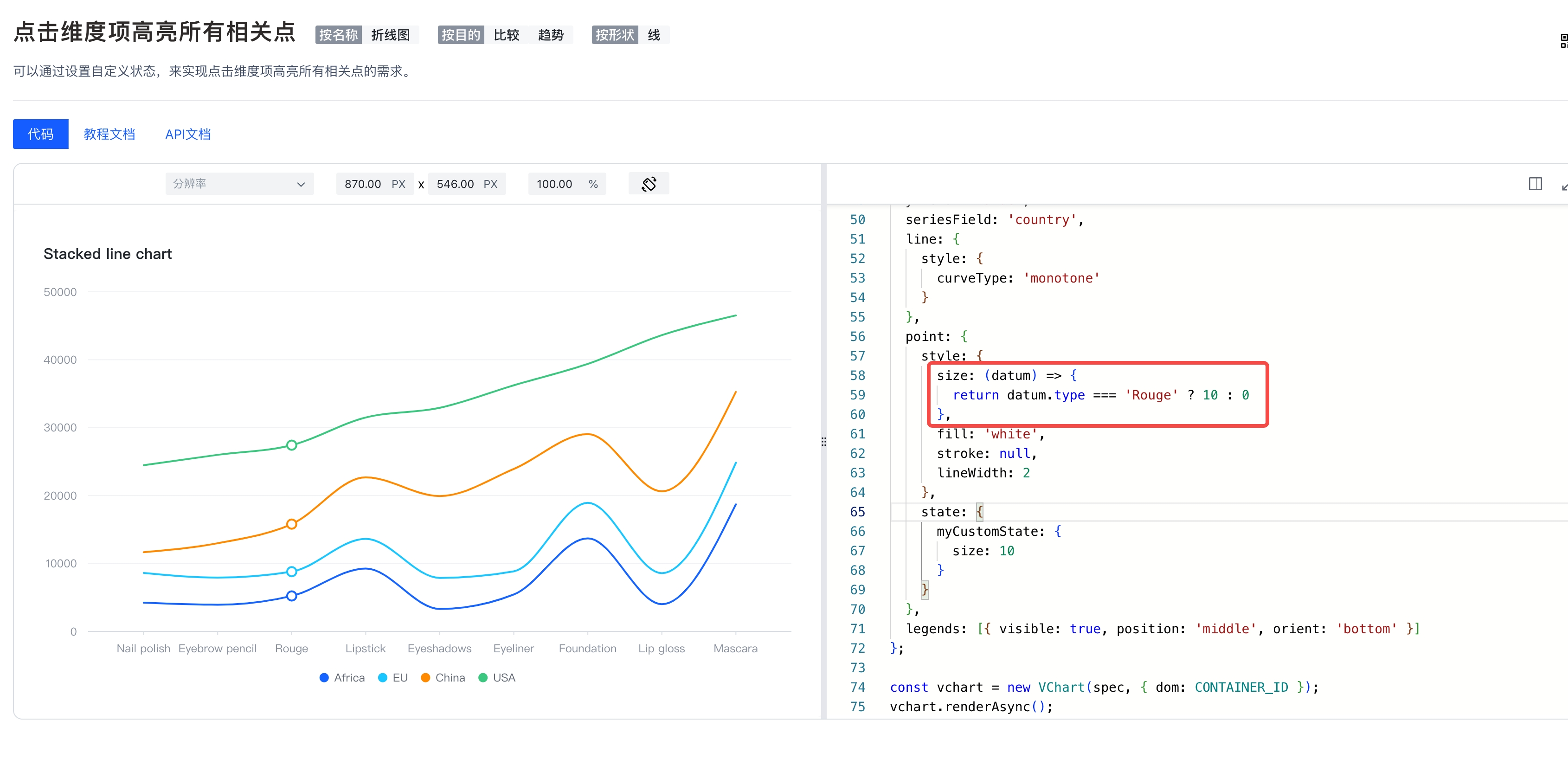
代码示例
const spec = {
  type: 'line',
  data: {
    values: [
      { type: 'Nail polish', country: 'Africa', value: 4229 },
      { type: 'Nail polish', country: 'EU', value: 4376 },
      { type: 'Nail polish', country: 'China', value: 3054 },
      { type: 'Nail polish', country: 'USA', value: 12814 },
      { type: 'Eyebrow pencil', country: 'Africa', value: 3932 },
      { type: 'Eyebrow pencil', country: 'EU', value: 3987 },
      { type: 'Eyebrow pencil', country: 'China', value: 5067 },
      { type: 'Eyebrow pencil', country: 'USA', value: 13012 },
      { type: 'Rouge', country: 'Africa', value: 5221 },
      { type: 'Rouge', country: 'EU', value: 3574 },
      { type: 'Rouge', country: 'China', value: 7004 },
      { type: 'Rouge', country: 'USA', value: 11624 },
      { type: 'Lipstick', country: 'Africa', value: 9256 },
      { type: 'Lipstick', country: 'EU', value: 4376 },
      { type: 'Lipstick', country: 'China', value: 9054 },
      { type: 'Lipstick', country: 'USA', value: 8814 },
      { type: 'Eyeshadows', country: 'Africa', value: 3308 },
      { type: 'Eyeshadows', country: 'EU', value: 4572 },
      { type: 'Eyeshadows', country: 'China', value: 12043 },
      { type: 'Eyeshadows', country: 'USA', value: 12998 },
      { type: 'Eyeliner', country: 'Africa', value: 5432 },
      { type: 'Eyeliner', country: 'EU', value: 3417 },
      { type: 'Eyeliner', country: 'China', value: 15067 },
      { type: 'Eyeliner', country: 'USA', value: 12321 },
      { type: 'Foundation', country: 'Africa', value: 13701 },
      { type: 'Foundation', country: 'EU', value: 5231 },
      { type: 'Foundation', country: 'China', value: 10119 },
      { type: 'Foundation', country: 'USA', value: 10342 },
      { type: 'Lip gloss', country: 'Africa', value: 4008 },
      { type: 'Lip gloss', country: 'EU', value: 4572 },
      { type: 'Lip gloss', country: 'China', value: 12043 },
      { type: 'Lip gloss', country: 'USA', value: 22998 },
      { type: 'Mascara', country: 'Africa', value: 18712 },
      { type: 'Mascara', country: 'EU', value: 6134 },
      { type: 'Mascara', country: 'China', value: 10419 },
      { type: 'Mascara', country: 'USA', value: 11261 }
    ]
  },
  title: {
    visible: true,
    text: 'Stacked line chart'
  },
  stack: true,
  xField: 'type',
  yField: 'value',
  seriesField: 'country',
  line: {
    style: {
      curveType: 'monotone'
    }
  },
  point: {
    style: {
      size:(datum)=>{
        return datum.type === 'Rouge' ? 10 : 0
      },
      fill: 'white',
      stroke: null,
      lineWidth: 2
    }
  },
  legends: [{ visible: true, position: 'middle', orient: 'bottom' }]
};

const vchart = new VChart(spec, { dom: CONTAINER_ID });
vchart.renderSync();

// Just for the convenience of console debugging, DO NOT COPY!
window['vchart'] = vchart;</br>
结果展示
在线效果参考:https://codesandbox.io/p/sandbox/custom-style-gprk5k?file=%2Fsrc%2Findex.ts%3A8%2C21
相关文档
默认选中维度demo: https://www.visactor.io/vchart/demo/line-chart/line-default-select
相关api:https://www.visactor.io/vchart/option/lineChart#point.style
github:https://github.com/VisActor/VChart