


问题标题
如何禁用图表交互
问题描述
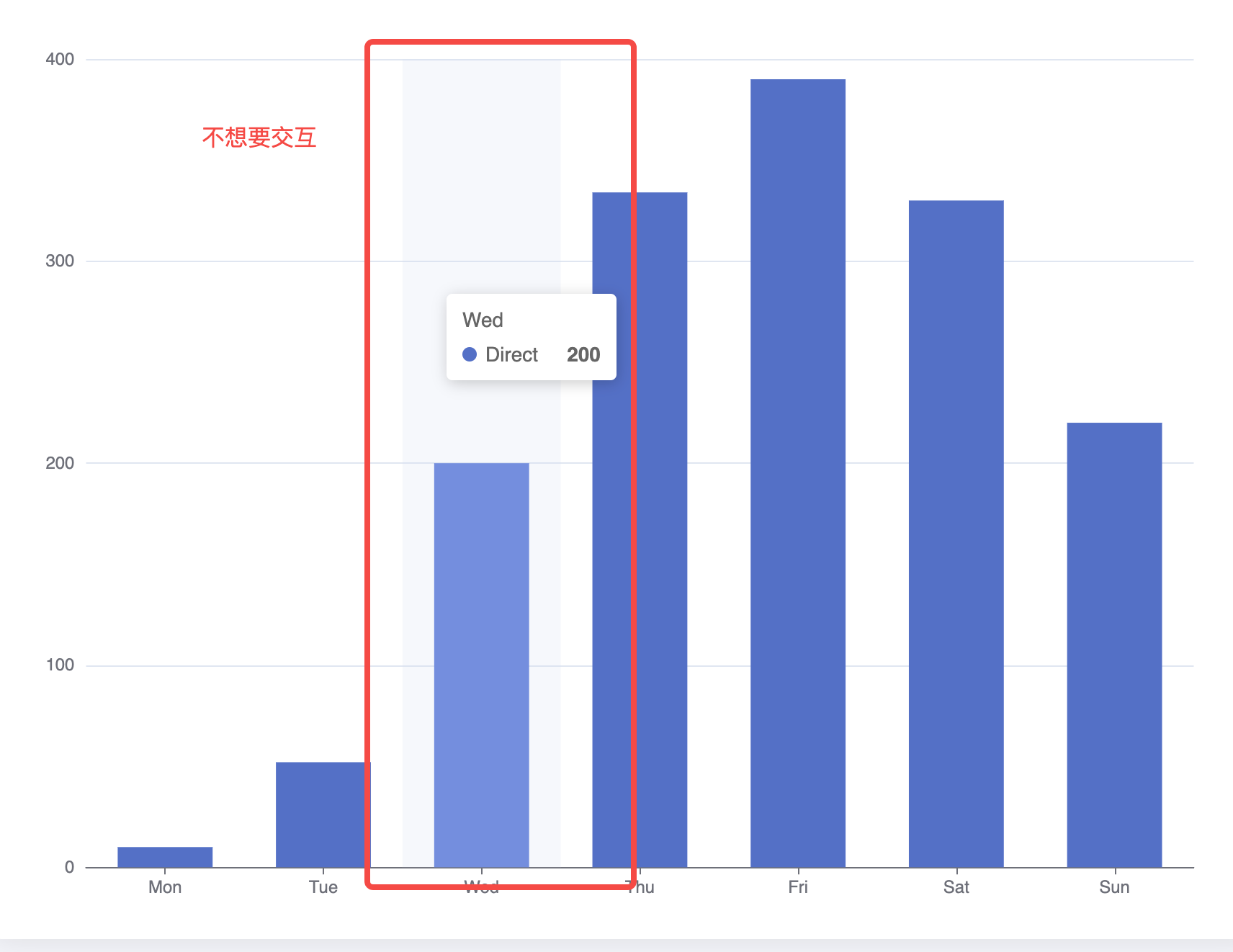
请问使用图表的时候怎么关闭图表的交互事件呢,只希望图表作为图片一样使用?
解决方案
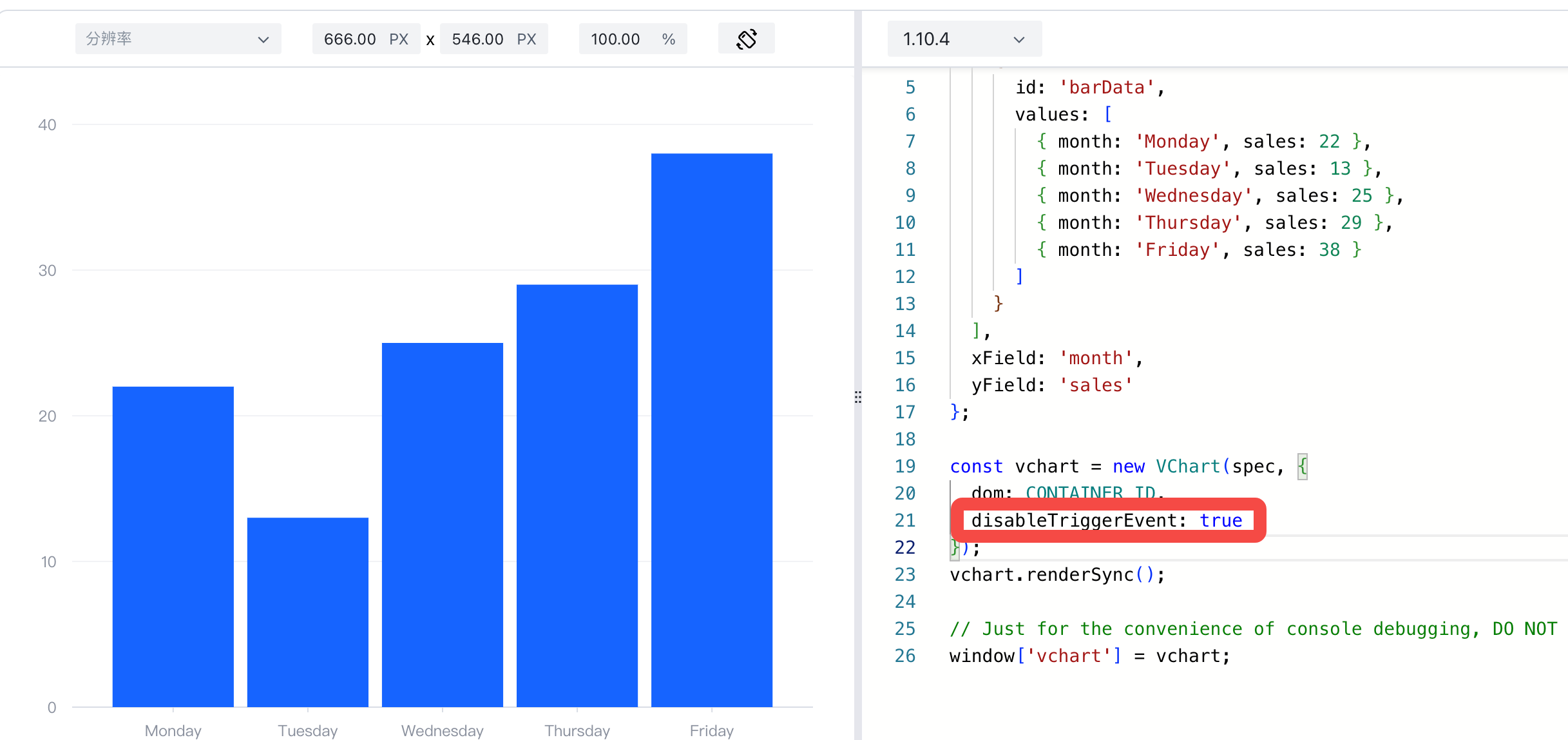
VChart 中可以支持在initOption中直接传入disableTriggerEvent: true关闭交互
代码示例
const spec = {
  type: 'bar',
  data: [
    {
      id: 'barData',
      values: [
        { month: 'Monday', sales: 22 },
        { month: 'Tuesday', sales: 13 },
        { month: 'Wednesday', sales: 25 },
        { month: 'Thursday', sales: 29 },
        { month: 'Friday', sales: 38 }
      ]
    }
  ],
  xField: 'month',
  yField: 'sales'
};

const vchart = new VChart(spec, { dom: CONTAINER_ID, disableTriggerEvent: true });
vchart.renderSync();

// Just for the convenience of console debugging, DO NOT COPY!
window['vchart'] = vchart;</br>
结果展示
Demo: https://codesandbox.io/p/sandbox/vchart-disabletriggerevent-psxswy?file=%2Fsrc%2Findex.js%3A20%2C46
相关文档
Demo:https://codesandbox.io/p/sandbox/vchart-disabletriggerevent-psxswy?file=%2Fsrc%2Findex.js%3A20%2C46
教程:
- 初始化VChart: https://visactor.io/vchart/api/API/vchart
Github:https://github.com/VisActor/VChart/