


问题标题
使用VTable表格组件的透视表时,怎么做维度下钻的功能
问题描述
vtable透视表是否支持在前端做钻取交互?
解决方案
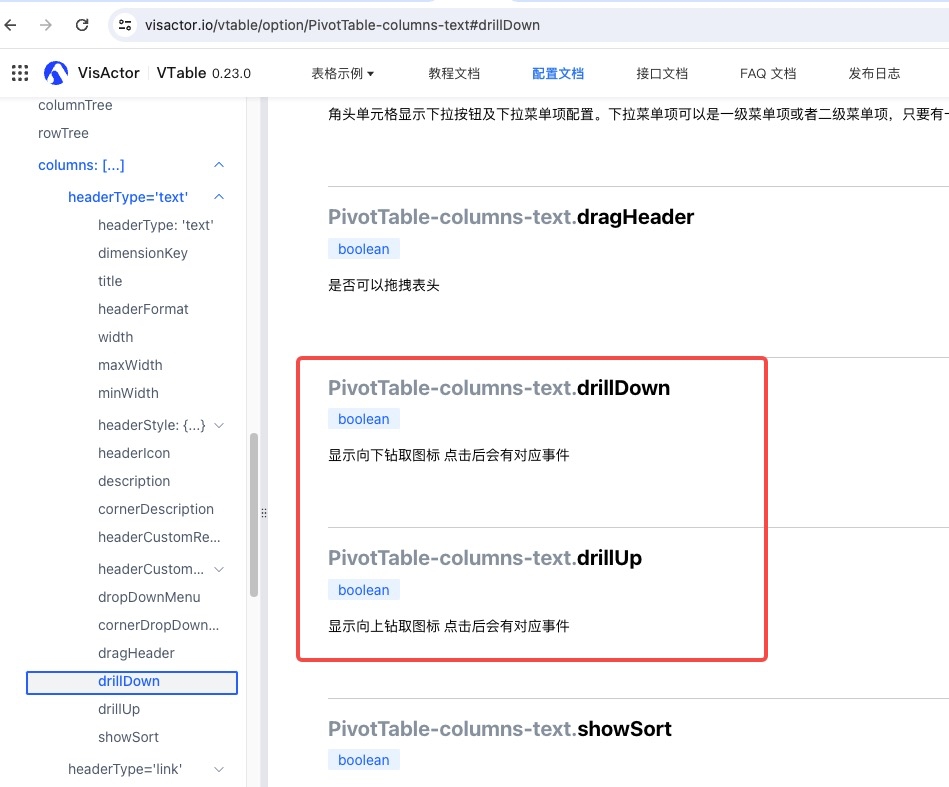
配置上这个 有了图标 监听事件(https://visactor.io/vtable/api/events#DRILLMENU_CLICK) 获取新的数据后调用接口updateOption更新完整的配置。
代码示例
具体可以参考官网的示例demo:https://visactor.io/vtable/demo/data-analysis/pivot-analysis-table-drill。
关键的配置drillDown:
const option = {
  records: data,
  rows: [
    {
      dimensionKey: 'Category',
      title: 'Category',
      drillDown: true,
      headerStyle: {
        textStick: true
      },
      width: 'auto'
    }
  ],
  columns: [
    {
      dimensionKey: 'Region',
      title: 'Region',
      headerStyle: {
        textStick: true
      },
      width: 'auto'
    }
  ],
  indicators: ...
};</br>
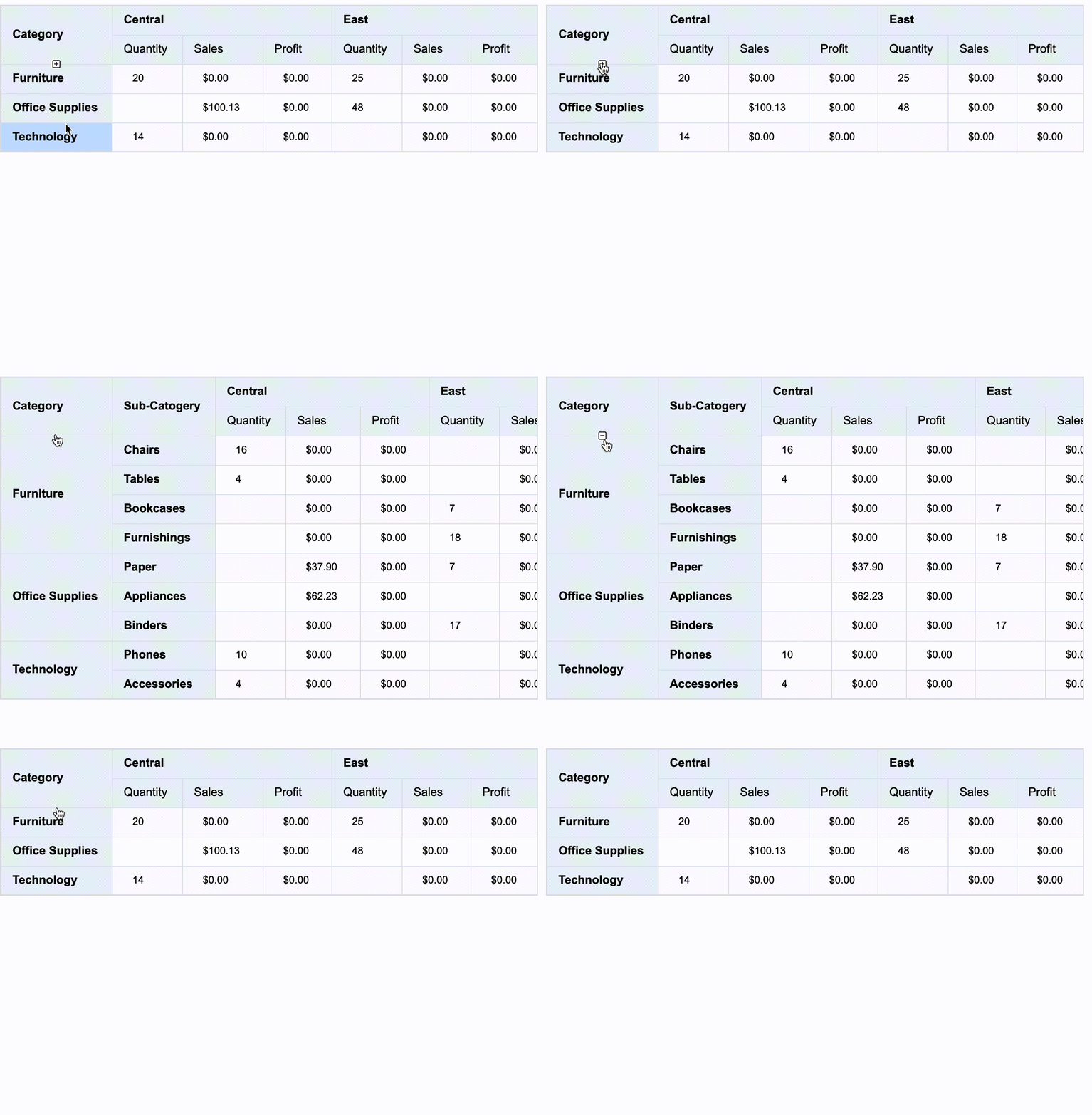
配置后显示下钻图标,监听图标的点击事件 drillmenu_click,事件处理逻辑中调用updateOption更新配置,配置的下钻图标变成下钻图标drillUp:
tableInstance.on('drillmenu_click', args => {
  if (args.drillDown) {
    if (args.dimensionKey === 'Category') {
      tableInstance.updateOption({
        records: newData,
        rows: [
          {
            dimensionKey: 'Category',
            title: 'Category',
            drillUp: true,
            headerStyle: {
              textStick: true
            },
            width: 'auto'
          },
          {
            dimensionKey: 'Sub-Category',
            title: 'Sub-Catogery',
            headerStyle: {
              textStick: true
            },
            width: 'auto'
          }
        ],
        columns: ...,
        indicators: ...
      });
    }
  }</br>
结果展示
官网示例效果如下:
相关文档
透视表上钻下钻用法教程:https://visactor.io/vtable/guide/data_analysis/pivot_table_dataAnalysis
透视表上钻下钻用法demo:https://visactor.io/vtable/demo/data-analysis/pivot-analysis-table-drill?open_in_browser=true
相关api:https://visactor.io/vtable/option/PivotTable-columns-text#drillDown
https://visactor.io/vtable/api/events?open_in_browser=true#DRILLMENU_CLICK
github:https://github.com/VisActor/VTable